

US Economy Expands in Third Quarter 2025: Strong Growth Surpasses Expectations
December 24, 2025
AirPods 4 Active Noise Cancelling Earbuds Review (2026): Features, Pros & Deals
December 29, 2025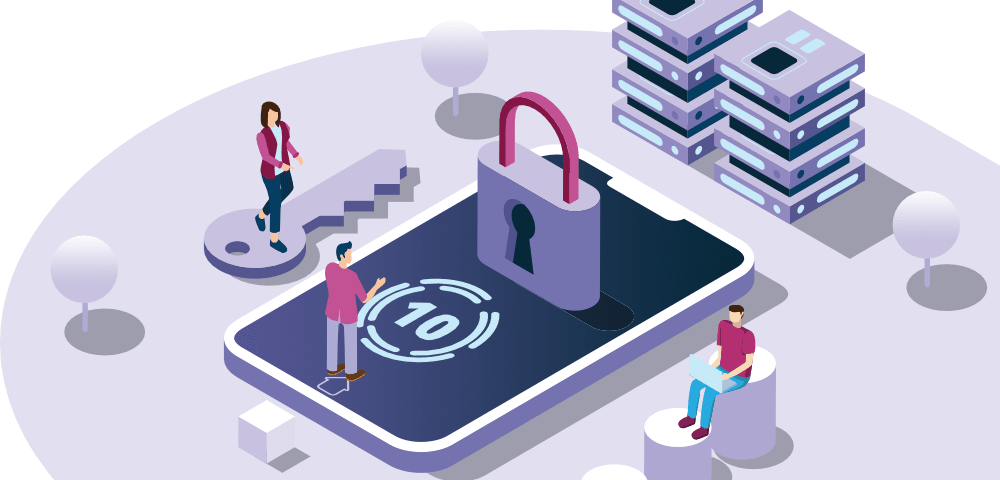
Protect Your Devices and Personal Data Online:
Introduction
The internet has become an essential part of our daily lives. We use it for communication, banking, shopping, work, entertainment, and storing personal information. While this digital convenience makes life easier, it also exposes our devices and personal data to serious security risks.
Cybercriminals are constantly developing new methods to steal personal information, hack devices, and exploit online users. From phishing emails to malware attacks and data breaches, the threats are real and increasing every year. This is why learning how to protect your devices and personal data online is no longer optional—it is a necessity.
This comprehensive guide will help you understand the risks and provide practical, easy-to-follow steps to keep your devices, accounts, and personal information safe in 2025 and beyond.
Why You Must Protect Your Devices and Personal Data Online
Every smartphone, laptop, tablet, and smart device you own stores valuable information. This includes passwords, financial details, private conversations, photos, documents, and browsing history. If this data falls into the wrong hands, the consequences can be devastating.
Common risks of poor online security include:
- Identity theft
- Financial fraud
- Unauthorized access to personal accounts
- Loss of sensitive files
- Privacy invasion
Cybercriminals no longer target only large companies. Ordinary users are now the most common victims because they often lack proper security awareness.
Protecting your devices and personal data online starts with understanding these risks and taking proactive steps to prevent them.
Use Strong and Unique Passwords for All Accounts
Passwords are the first line of defense against unauthorized access. Unfortunately, many people still use weak passwords or reuse the same password across multiple platforms.
To protect your devices and personal data online, always use strong and unique passwords.
Best practices for password security:
- Use at least 12 characters
- Combine uppercase and lowercase letters
- Include numbers and symbols
- Avoid names, birthdays, or common words
- Never reuse passwords
Using the same password for email, social media, and banking accounts is extremely dangerous. If one account is compromised, hackers can access all others.
A password manager can help generate and store strong passwords securely, reducing the risk of human error.
Enable Two-Factor Authentication Everywhere
Two-factor authentication, also known as 2FA, adds an extra layer of security beyond your password. Even if a hacker gets your password, they won’t be able to access your account without the second verification step.
Common two-factor authentication methods include:
- SMS verification codes
- Email confirmation links
- Authentication apps
You should enable 2FA on all important accounts, including email, banking apps, cloud storage, social media, and shopping platforms.
This single step significantly reduces the risk of account takeover and is one of the most effective online security tips available.
Keep Your Devices and Software Updated
Outdated software is one of the easiest ways hackers gain access to devices. Software updates often contain security patches that fix known vulnerabilities.
To protect your devices and personal data online, always keep the following updated:
- Operating systems
- Mobile and desktop apps
- Web browsers
- Antivirus software
- Smart device firmware
Enable automatic updates whenever possible to ensure you never miss important security fixes.
Ignoring updates may seem harmless, but it leaves your device exposed to known exploits.
Install Trusted Antivirus and Security Software
Antivirus and security software provide essential protection against malware, ransomware, spyware, and phishing attacks. These tools work in real time to detect and block threats before they cause harm.
When choosing security software, look for features such as:
- Real-time threat detection
- Malware and phishing protection
- Firewall security
- Regular updates
Avoid downloading free or unknown security tools from untrusted sources, as some may contain hidden malware.
Reliable security software is a critical component of device security in today’s digital environment.
Be Careful When Using Public Wi-Fi Networks
Public Wi-Fi networks are convenient, but they are also one of the biggest security risks. Hackers can intercept data transmitted over unsecured networks, putting your personal information at risk.
To stay safe on public Wi-Fi:
- Avoid accessing banking or financial accounts
- Do not enter passwords or sensitive information
- Use a trusted VPN for encryption
- Disconnect when not in use
If possible, use your mobile data instead of public Wi-Fi when handling sensitive tasks.
Protect Yourself From Phishing Scams
Phishing is one of the most common cyber threats today. It involves tricking users into revealing personal information through fake emails, messages, or websites.
Common signs of phishing scams include:
- Urgent or threatening messages
- Requests for passwords or payment details
- Misspelled email addresses
- Suspicious links or attachments
Always verify the sender before clicking any link. Never share sensitive information through email or text messages.
Learning how to identify phishing attempts is essential to protect your personal data online.
Secure Your Social Media Accounts
Social media platforms store a large amount of personal information that can be misused if compromised. Hackers often target social accounts to steal identities or spread scams.
Tips to secure social media accounts:
- Use strong, unique passwords
- Enable two-factor authentication
- Set profiles to private
- Avoid oversharing personal information
- Review third-party app permissions
Regularly check your privacy and security settings to ensure maximum protection.
Back Up Your Data Regularly
Data backups ensure that you don’t lose important files if your device is hacked, damaged, or stolen. Backups also protect against ransomware attacks that lock users out of their own data.
Recommended backup options include:
- Cloud storage services
- External hard drives
- Automatic backup tools
Always encrypt backups and store them securely. Regular backups provide peace of mind and long-term data protection.
Use Secure Websites and Online Services
Before entering personal or payment information online, make sure the website is secure.
Signs of a secure website include:
- HTTPS in the website address
- A lock icon in the browser
- Clear privacy policies
- Trusted brand reputation
Avoid making transactions on unfamiliar or unsecured websites, especially those that lack contact information or reviews.
Manage App Permissions Carefully
Many apps request access to data they don’t need. Over time, this can expose your personal information unnecessarily.
To protect your devices and personal data online:
- Review app permissions regularly
- Remove access that isn’t required
- Delete unused apps
- Avoid apps from unknown developers
Limiting permissions reduces the risk of data misuse and unauthorized tracking.
Stay Informed About Online Security Threats
Cyber threats evolve constantly. Staying informed helps you recognize new scams and security risks before they cause harm.
Follow trusted technology blogs, security updates, and platform announcements. Awareness is one of the most powerful tools in cybersecurity.
Frequently Asked Questions
How can beginners protect their devices and personal data online?
Beginners should start with strong passwords, two-factor authentication, software updates, and antivirus protection.
Is antivirus software necessary for smartphones?
Yes. Smartphones can be infected with malware, especially through unsafe apps or phishing links.
Can personal data really be stolen online?
Yes. Weak security practices make it easy for hackers to steal personal and financial information.
Conclusion
Learning how to protect your devices and personal data online is one of the most important skills in today’s digital world. Cyber threats are increasing, but with the right knowledge and habits, you can significantly reduce your risk.
By using strong passwords, enabling two-factor authentication, keeping software updated, avoiding unsafe networks, and staying informed, you take control of your digital safety.
Start applying these security practices today and enjoy a safer, more secure online experience.
READ ALSO
ProDentim Side Effects — Honest 2025 Review
ProDentim Side Effects — Honest 2025 Review